With Extended View Cameras and the In-cab monitor drivers get unparalleled visibility to prioritize safe practices and help improve driving behaviors.
Safety


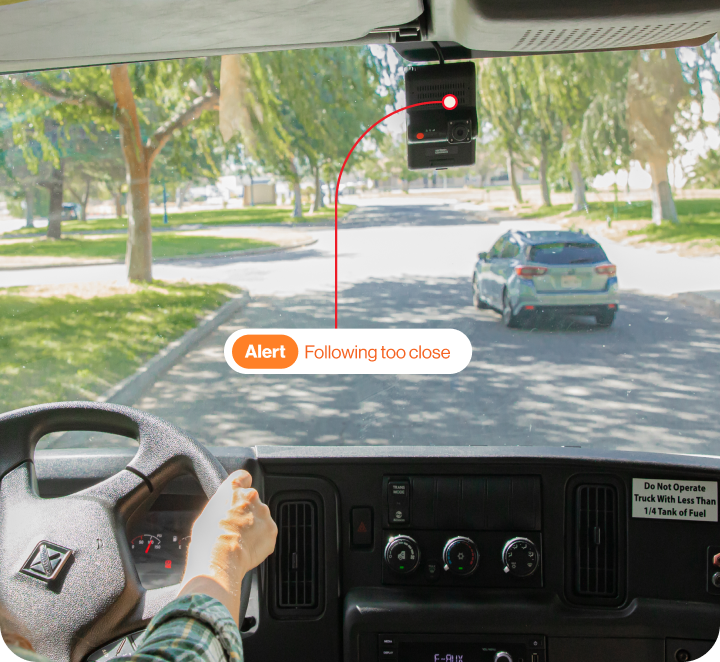
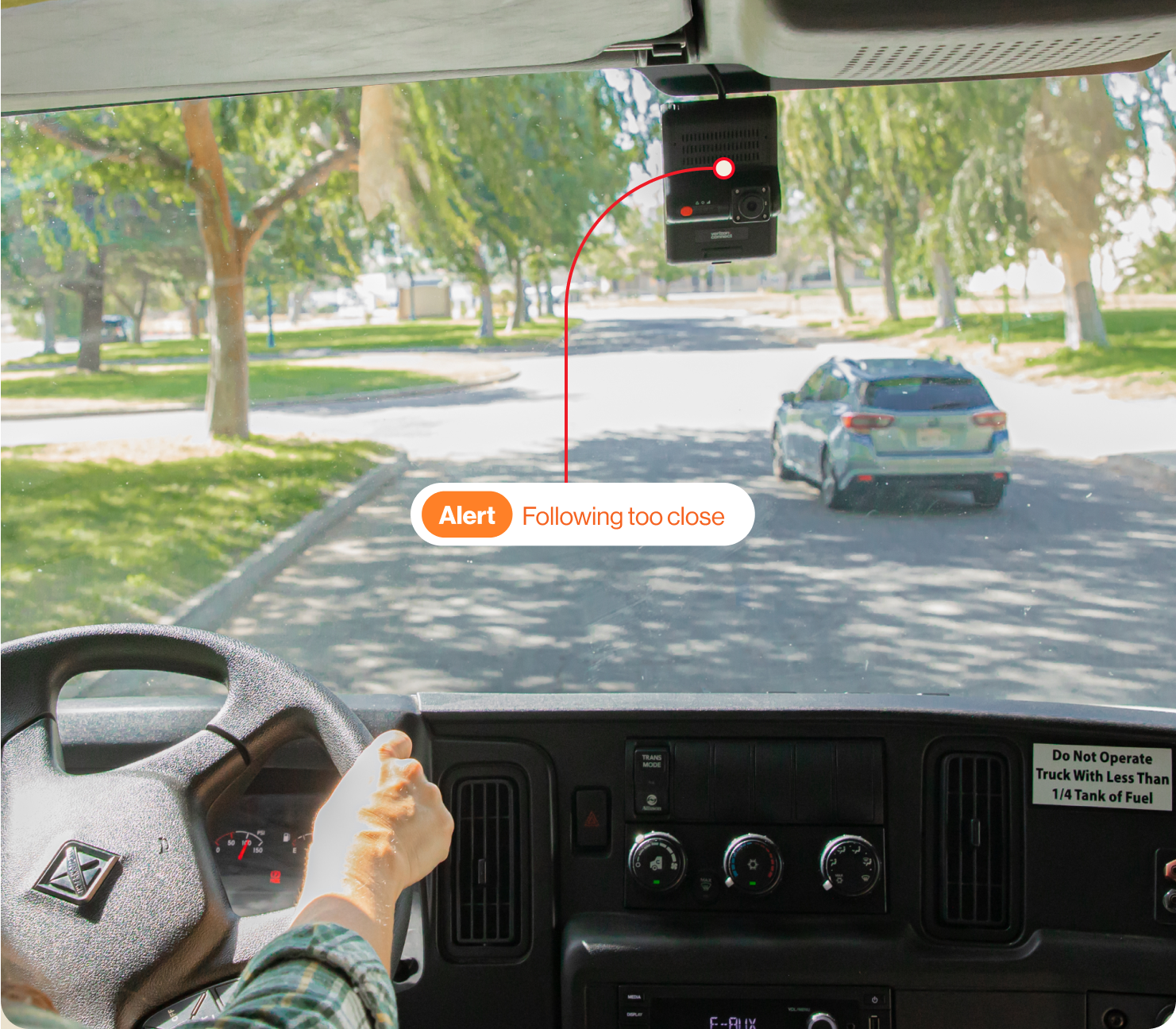

AI Dashcam utilizes artificial intelligence for real time detection of distracted driving and road hazards.
Fleet dashcam overview
Help reduce the likelihood of accidents with our AI dashcam. It provides live video footage on an in-cab monitor to help with backing up or turning. It also uses artificial intelligence (AI) to recognize risky behaviors and send audible, in-cab alerts in real time.

Real time audible in-cab alerts to prevent distracted driving.

See road and driver-facing footage side by side.

Coach your drivers in safer driving practices.






Safety
With Extended View Cameras and the In-cab monitor drivers get unparalleled visibility to prioritize safe practices and help improve driving behaviors.

HD video
Managers can review HD video footage captured by your Dashcam and Extended View Cameras within minutes of the incident, allowing you to quickly assess driving events. The clips are classified and tagged with relevant context, empowering you to quickly take action.

Coaching
Use driving data, and safety score trends with your Dashcam and Extended View Camera footage to coach drivers in safer driving practices and foster a culture of safety performance.
Risk and liability
360-degree view
An in-cab monitor shows rear and side camera footage to reduce blind spots and help drivers when reversing or maneuvering through tight spaces, and our cargo camera helps managers see what happened when shipments are damaged.

Support
From planning through implementation, integration and training, we’re dedicated to helping you improve your results, your ROI and your bottom line.

2026 AutoX

ABI Research

2024 Award

2024

Accredited

2024

Service 2024
Benefits

Mitigate accident risks and reduce costs for vehicle repairs, downtime, injury claims and lost productivity.

Create a culture of safety with increased visibility for fleet managers and awareness for drivers about current behaviors.

Lower insurance premiums and avoid insurance hikes after crashes.
Case study


I was to the point where I was going to quit my job until I started to understand that I had an advocate, that the camera could help me out of a bad situation.

AI dashcam insights
 75%
75%Used video to achieve their goal to improve driver safety.
 1M
1MVideos with customer feedback used to evolve our AI technology.
 70%
70%Say video technology improved protection from false claims.

Automatically alert drivers in real time when they’re distracted, drowsy, following too close, or nearing a pedestrian or cyclist.

Advanced AI camera technology and edge computing enable continuous live scene analysis and object detection to help alert drivers of risk in real time.

Facilitate coaching sessions with drivers to document and track improvements over time.

Machine learning and cloud-based AI quickly distill large amounts of video data into useful video tags and insights.

Understand the severity of an incident with AI-driven event classifications.

High quality, wide angle footage with built-in IR for night vision recording.

Set up notifications to alert appropriate team members.

Request on-demand video clips from the footage available on your SD card.

Use camera lens caps for privacy when video recordings are unwanted or not needed.

Alerts and triggered by VTU, ADAS or DMS.

Improve situational awareness and help prevent property damage when maneuvering a vehicle, with the help of an in-cab monitor.

Our cargo camera includes a 1.3MP Sony CMOS sensor with 120° view inside a vehicle and digital noise reduction (DNR).

The optional driver-facing camera attachment is available for fleets that want to upgrade their Road-facing AI dashcam to in-cab video.

The Dual-facing AI dashcam offers a single road-facing camera with an additional driver-facing camera attachment for fleets wanting in-cab video.

Our cloud connected HD DVR supports up to four Extended View Cameras and has a compact temper-resistant, secure design.

Our in-cab monitor is 7" W x 4.72" D with flexible mounting options.

Our rear camera has built-in IR for night vision recording, IP69K rated for weatherproof applications and low power consumption.

Our single road-facing camera offers 720p higher definition for clear, vivid footage in a sleek, small design which is easy to install with minimal wires.

Our Side Cameras provide a 118° view outside your vehicle with built-in IR for night vision recording and IP69K rated for weatherproof applications.
What events trigger the AI Dashcams to record?
AI Dashcams, take recording a step further. They utilize artificial intelligence to analyze road conditions and driver behavior. The AI technology functions by evaluating real-time footage of your drivers and other road users. It will immediately alert the driver and fleet managers about any unsafe driving behavior, such as speeding, harsh braking, or tailgating. Learn more about what triggers a video recording event.
Can you live stream the dashcams?
No. Currently, our fleet camera systems do not offer live streaming. Our AI Dashcam provides fleet managers and business owners with notifications for risky driving behaviors or dangerous driving events, so they don’t have to sift through hours of footage.
Do the dashcams work in areas with no cellular signal or Wi-Fi?
Yes. The dashcams will continue to provide in-cab alerts to drivers when they are in limited or no cellular coverage and event footage will be cached on the dashcam. Once connectivity is restored, the videos will be sent to the platform and available for viewing.
Do the dashcams have night vision?
Yes. The dashcams use natural ambient light in the environment plus artificial light from streetlights and a vehicle’s headlights. These light sources along with the dashcams’ high-definition imaging combine to provide clear footage that’s optimized for low light conditions.
How do I install a Dual-Facing AI Dashcam?
A Dual-Facing AI Dashcam has both driver-facing and road-facing cameras. It uses AI technology to analyze driving behavior and provides real-time alerts to drivers for potential risks. Find the procedures on our online Installation guide:Dual-Facing AI Dashcam.
How do I install a Road-Facing AI Dashcam?
Road-Facing AI Dashcams have a road-facing dashcam and ultilizes AI technology to analyze the road ahead. Fleet dashcams provide clear video evidence in case of accidents or disputes. This can be crucial in protecting the driver and the company from false claims or liabilities. Installation of a Road-Facing AI Dashcam can be found here in on our online Installation guide:Road-Facing AI Dashcam.
How do install a Driver-Facing AI Dashcam?
The Driver-Facing AI Dashcam can be installed to help reduce distracted driving and drowsy driving. Installation of a Driver-Facing AI Dashcam generally involves mounting the device on the windshield, connecting it to the vehicle’s power source, and setting it up with the relevant software. Follow our online Installation guide:Driver-Facing AI Dashcam.
How do I install a Dual-Facing AI Dashcam?
A Dual-Facing AI Dashcam has both driver-facing and road-facing cameras. It uses AI technology to analyze driving behavior and provides real-time alerts to drivers for potential risks. Find the procedures on our online Installation guide:Dual-Facing AI Dashcam.
How do I install a Road-Facing AI Dashcam?
Road-Facing AI Dashcams have a road-facing dashcam and ultilizes AI technology to analyze the road ahead. Fleet dashcams provide clear video evidence in case of accidents or disputes. This can be crucial in protecting the driver and the company from false claims or liabilities. Installation of a Road-Facing AI Dashcam can be found here in on our online Installation guide:Road-Facing AI Dashcam.
How do install a Driver-Facing AI Dashcam?
The Driver-Facing AI Dashcam can be installed to help reduce distracted driving and drowsy driving. Installation of a Driver-Facing AI Dashcam generally involves mounting the device on the windshield, connecting it to the vehicle’s power source, and setting it up with the relevant software. Follow our online Installation guide:Driver-Facing AI Dashcam.